Hi there, I have the extension installed and can see it’s technically working because the pricing appears in the settings area, but on the Overview page there is no dashboard available. Not sure what to do. Any help is very welcome.
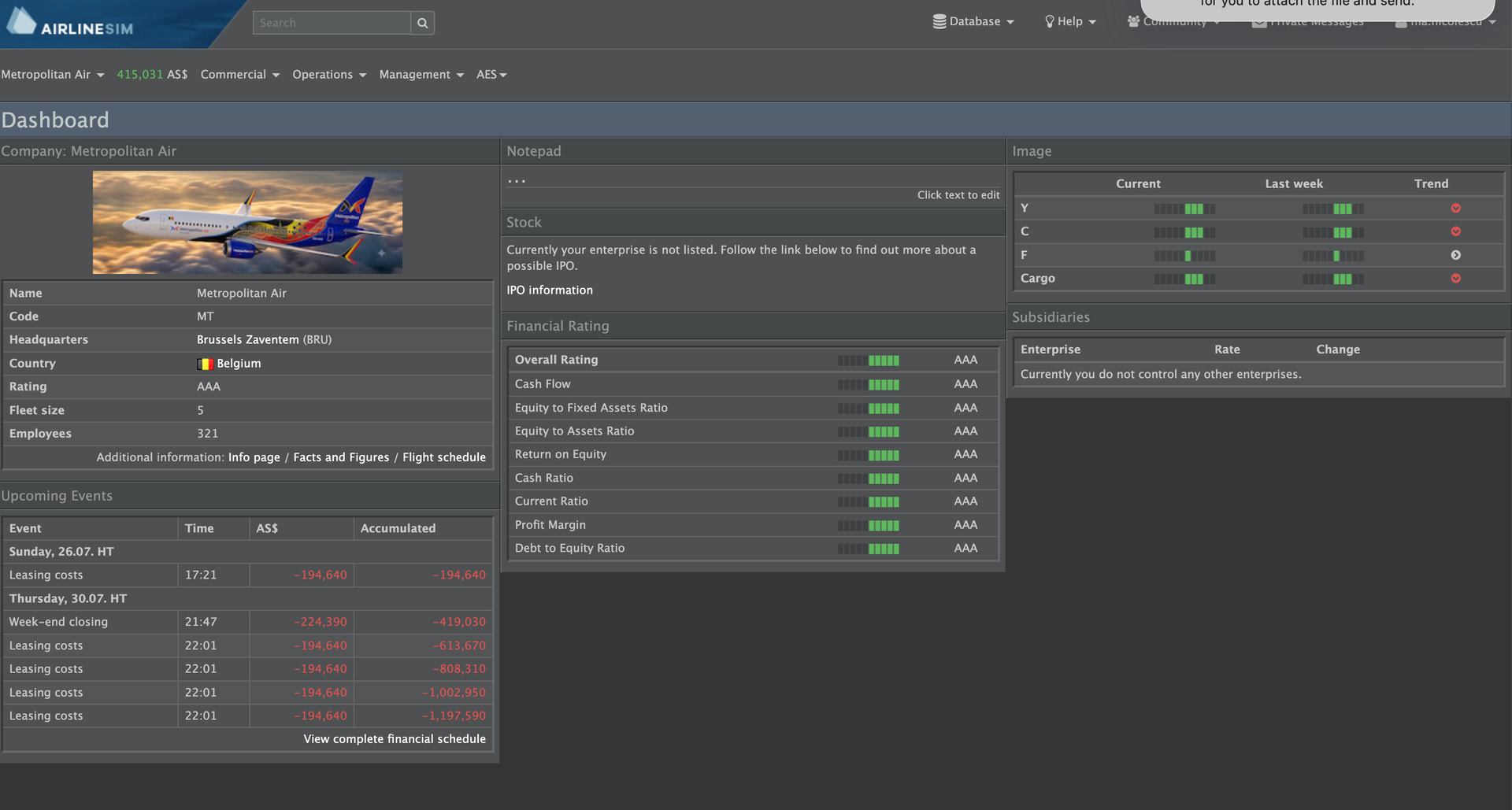
Hi, what version of AES are you using? Also, did the footer of AS show up? I can’t see it in the screenshot.
I just released version 0.8.8. In previous versions, AES needed the time shown in the footer to work. Now, AES will read time from the frontend settings instead. It will make AES more robust when the footer is not loading properly.
is this still working? I added the extension but don’t see anything in Overview.
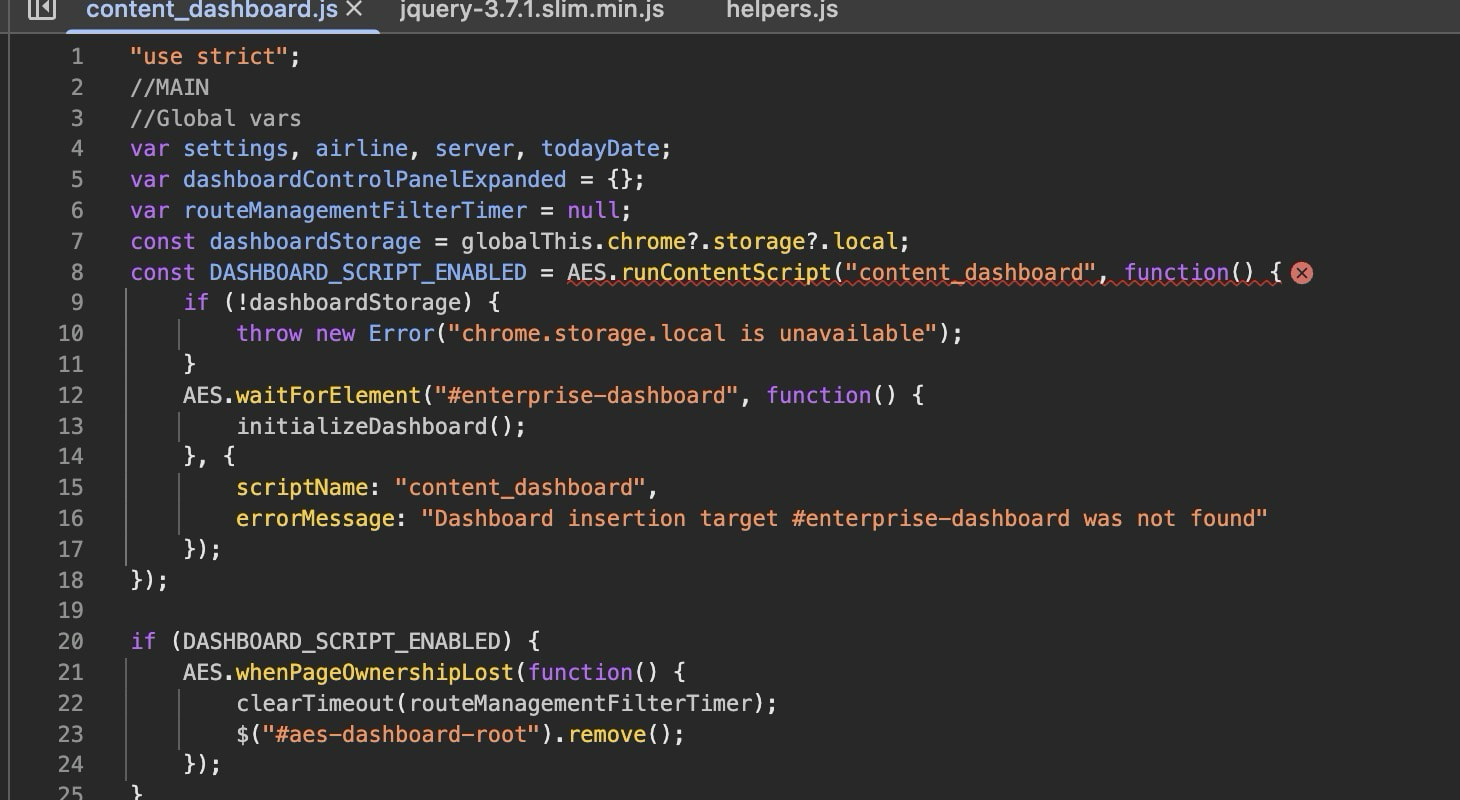
const DASHBOARD_SCRIPT_ENABLED = AES.runContentScript(“content_dashboard”, function() {
if (!dashboardStorage) {
throw new Error(“chrome.storage.local is unavailable”);
}
AES.waitForElement(“#enterprise-dashboard”, function() {
initializeDashboard();
}, {
scriptName: “content_dashboard”,
errorMessage: “Dashboard insertion target #enterprise-dashboard was not found”
});
});
I think i got it working on Windows… does it not work on Mac?
Hi, can you please provide a screenshot at where you saw the error message? Thanks.
Appears to be a Windows vs. Mac thing. Works on my Windows desktop, thanks.
Ok, but it’s pretty weird. It should work on Mac, and it does work on my MacBook.
might be working now with the latest patch?
back to not working on Mac
Hi, please provide the error message in the browser console. If you’re using Chrome, press F12.
Loading the script ‘https://quimby.airlinesim.aero/dist/assets/data-D3-bC78g.js’ violates the following Content Security Policy directive: “script-src ‘nonce-SZauyArSC-sbkVxX28rGwk_A’ ‘strict-dynamic’ http: https:”. Note that ‘strict-dynamic’ is present, so host-based allowlisting is disabled. Note that ‘script-src-elem’ was not explicitly set, so ‘script-src’ is used as a fallback. The policy is report-only, so the violation has been logged but no further action has been taken.
Is that the only error message there? That seems like an AirlineSim error message and is not why AES isn’t working. Try open the console first and then refresh the dashboard page to see if there are any extra error messages.
BTW, @martin, maybe you would care about the error message here?
I am aware of those. It’s somewhere on my infinite to-do list, but AS’s CSP policies are quite lax at the moment since I am still dealing with various different frameworks that all load their JS in different ways for various reasons. But as you said, I can’t see how that would affect AES.
1 Like
content_dashboard.js:8 Uncaught ReferenceError: AES is not defined
at content_dashboard.js:8:34
| (anonymous) | @ | content_dashboard.js:8 |
|---|
Hi, and thanks; that error helps narrow it down. AES’s Dashboard script is loading, but its shared helper code is unavailable.
Could you please send:
- Your full Chrome version from Chrome → Help → About Google Chrome.
- Your AES version and whether you installed it from the Chrome Web Store or manually.
- A screenshot of the Console after clearing it and refreshing the game page. Please include the first errors that appear, especially anything mentioning
helpers.js, and expand their details if possible.
The errors preceding AES is not defined should help us find the actual cause. Thanks!
Version 153.0.8010.53 (Official Build) (arm64)
AirlineSim Enhancement Suite 0.8.13 installed from web store
what do you mean clearing the console?
Open the console first, then refresh the page. The console will be automatically cleared and will start recording from the beginning of the page load.