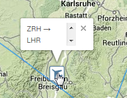
AS Live Traffic: Track your flights live on Google Maps!

Hi!

Thanks for the bug report, the parser does work again for 'aspern' schedules.

'KFW Airlines' is available at http://meterbit.monoceres.uberspace.de/map/?id=2852&server=aspern

Wow, thank you.

This is really awesome. You've done a great job.. thank you :)

+++Newsflash+++


Route Maps finally made their way to AS Live Traffic!


Get the routes of all your airborne planes by clicking the new "Route Map" button or expand your map URL manually with „&routes=1“.


Give it a try at http://meterbit.monoceres.uberspace.de


Happy holidays!

teletexta


PS: Using the new feature may affect loading times significantly. Be patient if you watch large airlines!

You rock. :)

Looks great, thanks for the update!

Thank YOU!

Thanks for working on this. Very cool.

Is it possible to make the Info Windows a little bit bigger?

thumb_2014-01-05_17_34_21-AS_Live_Traffi

I don't see the flight number and the Aircraft-Type. And Scrolling ist not possible, because it only show when the mouse is over the aircraft icon...

Thanks

Is it possible to make the Info Windows a little bit bigger?

thumb_2014-01-05_17_34_21-AS_Live_Traffi

I don't see the flight number and the Aircraft-Type. And Scrolling ist not possible, because it only show when the mouse is over the aircraft icon...

Thanks

That's the Firefox/Google Maps API scrollbar bug. Neither Google nor Mozilla fixed it yet.

I added some CSS voodoo magic, hope it helps!

BR,

teletexta

Thanks, now it works perfect :)

Great work, thank you :D

Hi, I'm tring to upload my flight schedule, but I receive the error:

You have an error in your SQL syntax; check the manual that corresponds to your MySQL server version for the right syntax to use near '' at line 1

I've attached the saved (with Chrome) html page.

Thanks

Hi, I'm tring to upload my flight schedule, but I receive the error:

[background=#e5e5e5]You have an error in your SQL syntax; check the manual that corresponds to your MySQL server version for the right syntax to use near ‘’ at line 1[/size][/background]


Save your schedule as “Web Page, HTML Only” instead of “Web Page, Complete”. I got the same error frequently until I switched the save settings. I haven’t gotten an error since while using Chrome.

Respect, great job. I'm jealous, cos I didn't know how I could do that... :)

May I suggest a few ideas for added functionality?

- When you move over an aircraft icon, would it be possible to show the route in red color to highlight it?

- It would be interesting to see somewhere the total number of aircraft in the air, or maybe by aircraft type?

- I have added a cloud and weather layer on my Routemap tool. This would be possibly a nice feature on your live traffic map too.

- Different icons for different aircraft type would also be cool.

Thanks for a great tool.

- Different icons for different aircraft type would also be cool.

Does somebody have a source for decent looking (and royalty-free) aircraft icons?

Thank you so much for making this...it's so cool! I love being able to see where my flights are at any minute of the day, and it adds another sense of realism to the game. Maybe in the future, with collaboration between teletexta and the Developers, this can be added as an aspect of the game rather than an outside program.

Another cool feature to implement in the long term would be the ability to click on an airport that you operate at and it would show how many flights were going to depart from it/arrive at it in the next 5 or 10 minutes. I use a program called VATSPY to assist me in another one of my hobbies, Virtual Air Traffic Controlling on the VATSIM network. Next to every airport displayed (there are thousands) there is a Green, up-arrow with the amount of departing planes, and a Red, down-arrow with the amount of arriving planes.

Link: http://imgur.com/xz1l2aQ

Hi guys!

From now on the new server "Quimby" is fully implemented on AS Live Traffic.

Give it a try at http://meterbit.monoceres.uberspace.de

BR,

teletexta

Hi

Once again thanks for that cool tool. I was wondering if it would be possible to somehow modify it. My idea would be the following:

To chose a city/hub and a start time (let's say 6:00 AM). Then the site should show in short period how the flights fly out to their destinations and how they come back (and so forth till the rest of the day). It would kind of visualize the waves and hopefully if it is well planned, the aircraft would come back at similar times.

I would assume that this should be possible with some slight modifications. If I can assist or help with hosting I'd be more than happy to do that.

Hi!

Quick update: Ellinikon is now available on AS Live Traffic!

Check it out at http://meterbit.monoceres.uberspace.de

Hi everyone,
 
roughly about a year ago I introduced AS Live Traffic to you.
 
Today I want to inform you that AS Live Traffic has become FLT.
FLT offers a new design and new features:
 
- Uploads via browser bookmarklet
  You don't have to save schedules locally anymore.
 
- Alliance Maps
  Watch alliance members on one a single map.
 
- Airline Tiles
  Implement airline tiles on your forum posts.
 
Check it out right now at flt.xyz.
 
 
Happy plane spotting,
teletexta
 
P.S.: If you encounter any problems please use the contact form on the page.
 
---
 
If you are experiencing troubles adding the bookmarklet to your browser bookmarks this might help you.

http://en.wikipedia.org/wiki/Bookmarklet#Installation

FYI for the bookmarklet to work, I had to go to the flight schedule of my airline via the link in the Company box on the Overview page. If I went to the flight schedule via the drop-down Enterprise menu, the bookmarklet didn't recognise the URL for the schedule.